Protection inside your browser.

The SOWA Privacy Chrome extension finds personal data in your prompt and replaces it with placeholders – before the prompt is sent. Detection runs on your device; only the redacted text reaches the AI provider.
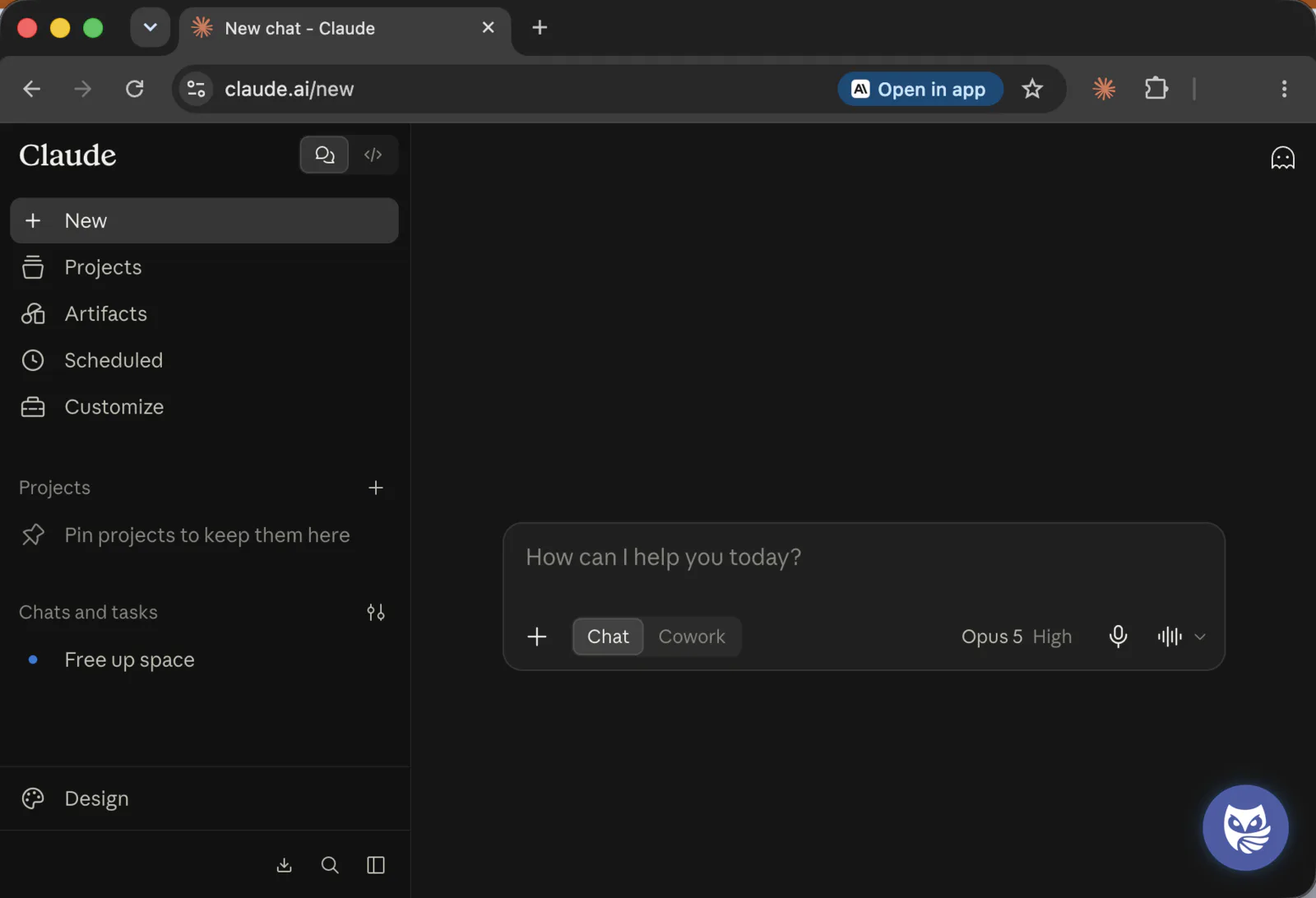
A new chat on claude.ai with the SOWA Privacy extension installed. The composer is empty and the Privacy Owl button sits in the bottom right corner.

How a prompt travels through the extension

Detection in the composer
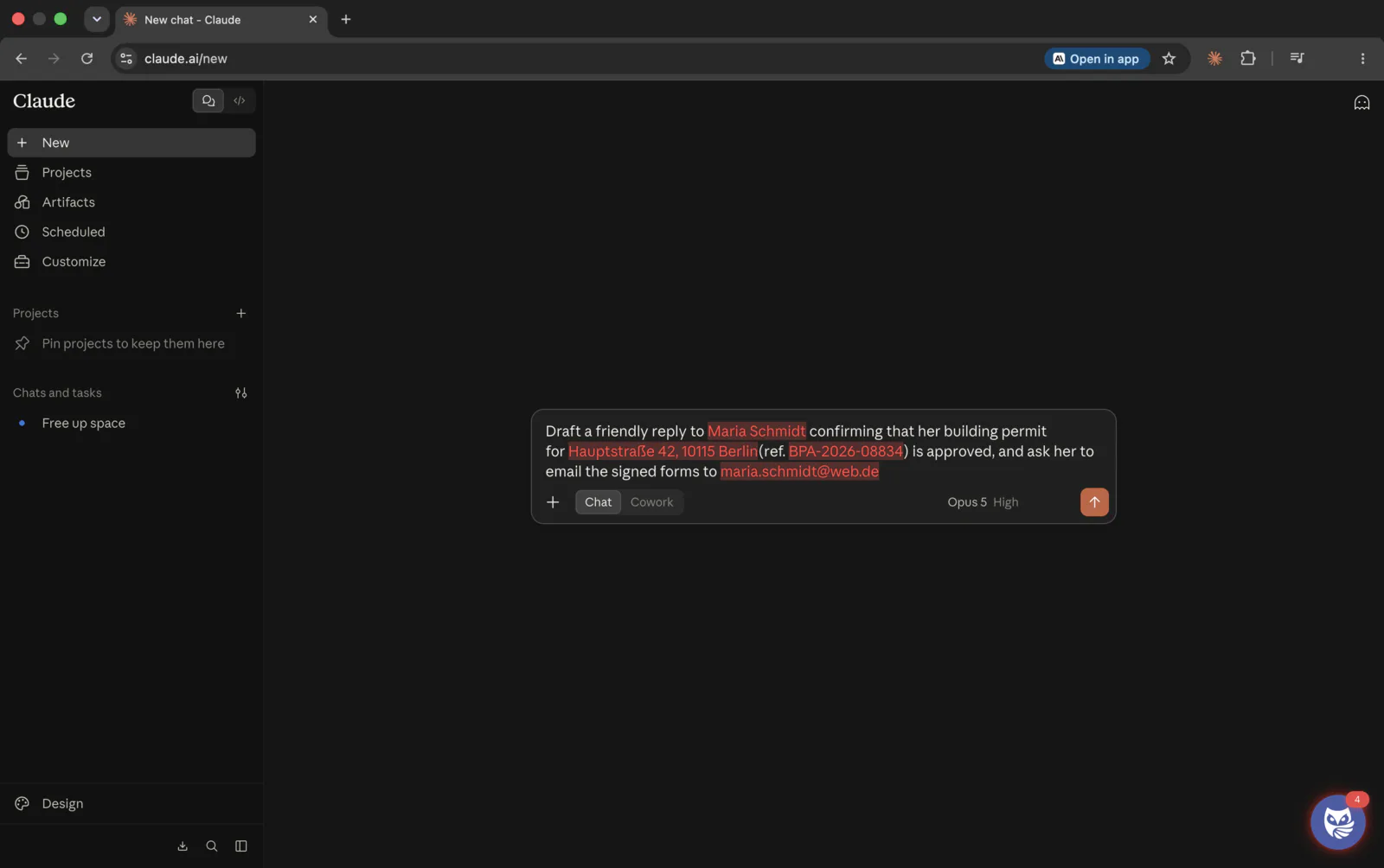
A new chat on claude.ai. The composer holds a prompt in which the name Maria Schmidt, the address Hauptstraße 42, 10115 Berlin, the reference BPA-2026-08834 and the address maria.schmidt@web.de are highlighted in colour. The Privacy Owl button sits in the bottom right corner, badged with the number four.
The extension reads along as you type and highlights every value it finds, right inside the AI site’s own composer. The owl in the corner keeps count — four hits here, before anything has been sent.

A question before it is sent

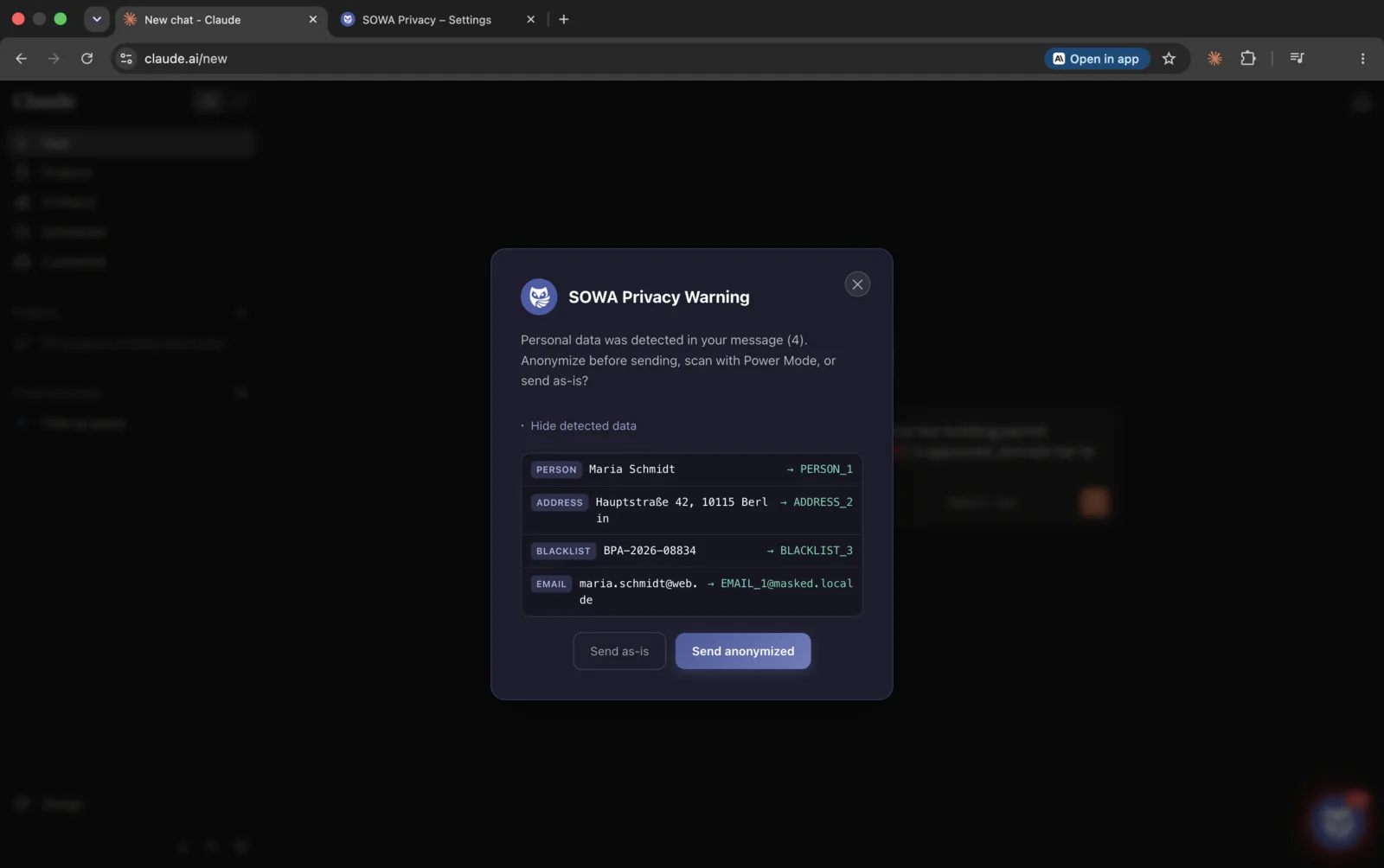
The “SOWA Privacy Warning” dialog over the chat page. It reports four detected items and lists them one by one: PERSON Maria Schmidt becomes PERSON_1, ADDRESS Hauptstraße 42, 10115 Berlin becomes ADDRESS_2, BLACKLIST BPA-2026-08834 becomes BLACKLIST_3, and EMAIL maria.schmidt@web.de becomes EMAIL_1@masked.local. Below are the buttons “Send as-is” and “Send anonymized”.
Before sending, the extension shows every find with the category it assigned and the placeholder that would take its place.

There and back

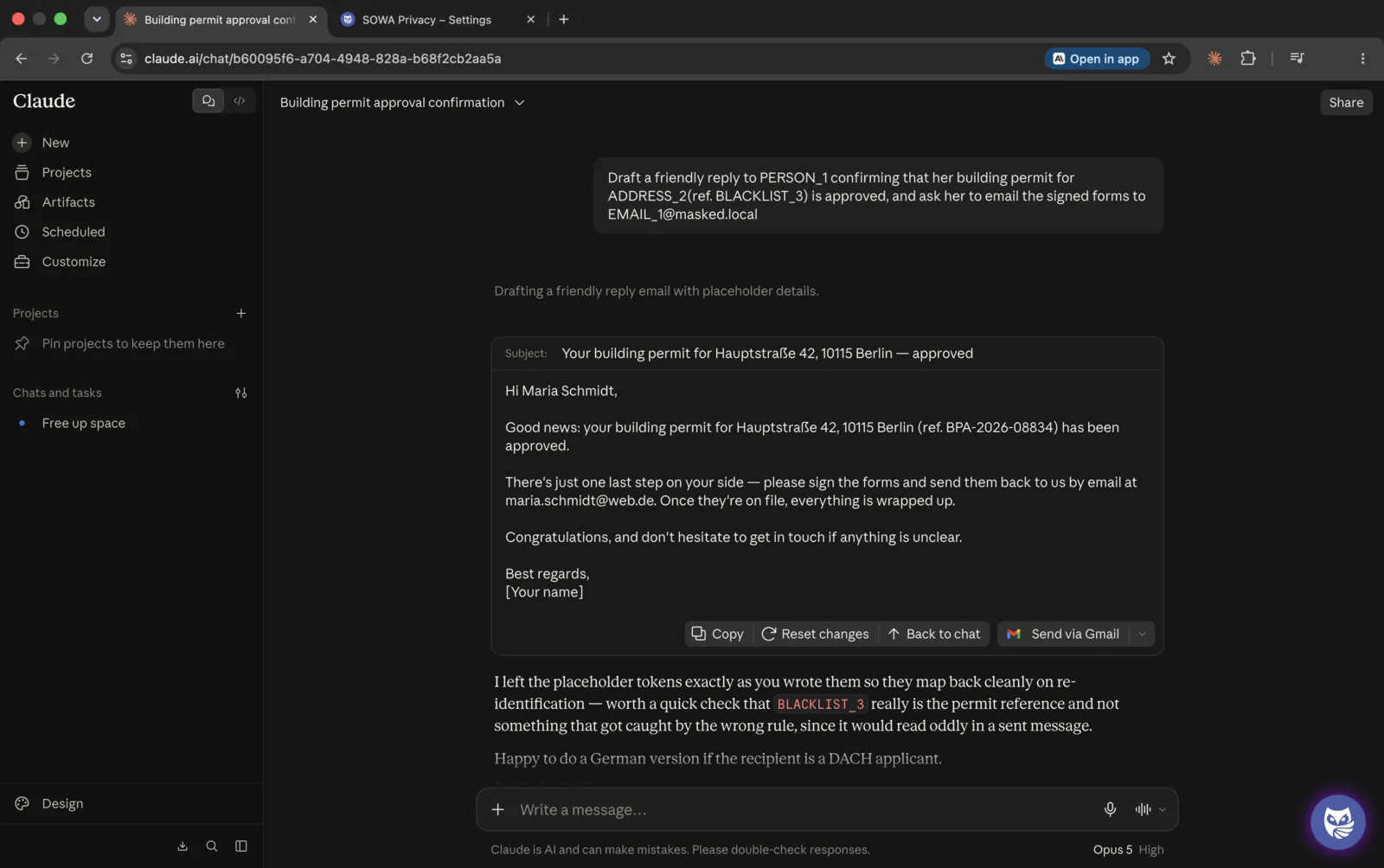
What was sent The same chat after sending, switched to the version that went out: the prompt at the top reads “Draft a friendly reply to PERSON_1 … for ADDRESS_2 (ref. BLACKLIST_3) … to EMAIL_1@masked.local”, and the prose of the reply refers to BLACKLIST_3 as well.
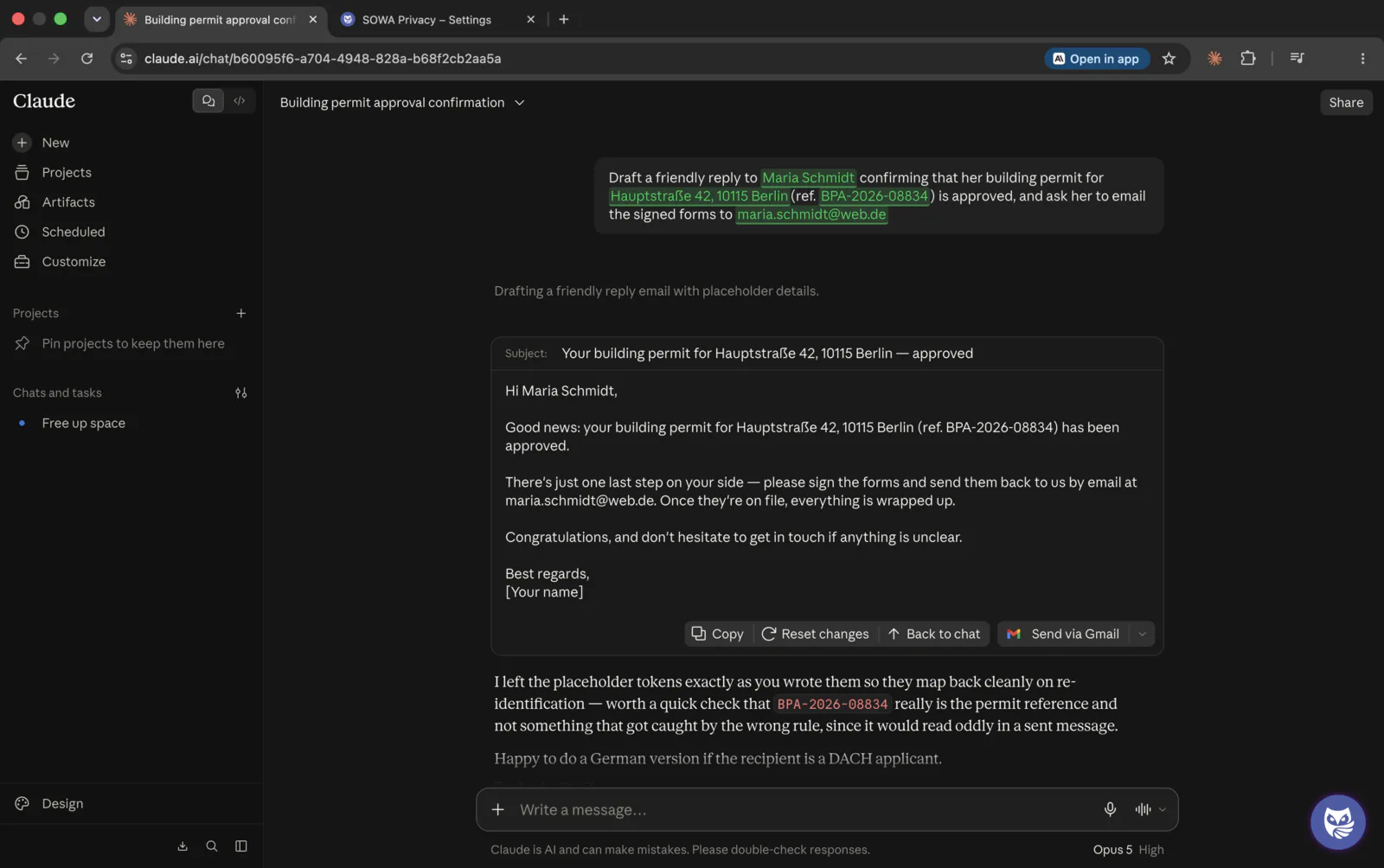
What you see The same chat with the original values restored: the prompt again reads Maria Schmidt, Hauptstraße 42, 10115 Berlin, BPA-2026-08834 and maria.schmidt@web.de, highlighted in green, and the reply names the reference in the clear.

One conversation, two views of the same thread. Placeholders went out; back in the browser your values are mapped in again, so the thread stays readable. The dictionary that connects the two lives in your browser profile.

Captured from the SOWA Privacy Chrome extension. The data shown is fictitious.

One extension for your whole AI stack

File uploads too

PDF DOCX XLSX TXT CSV JSON XML

Works with

ChatGPT Claude Gemini Microsoft Copilot Grok HuggingFace Chat + any OpenAI-compatible interface
  • Desktop apps. The extension works inside Chrome. The ChatGPT, Claude or Gemini desktop applications are a different surface and are not covered – that is what SOWA Privacy Chat is for.
  • Other browsers. Chrome at launch. Edge and Brave are Chromium-based and currently in testing; Firefox is on the roadmap.

Install it and type one sentence

The Starter plan is free and needs no account. Detection is active from the first prompt.